Workshop:
Generative AI Images
Workshop:
Generative AI Images
Golem (2025)
50-step animated GIF sequence.
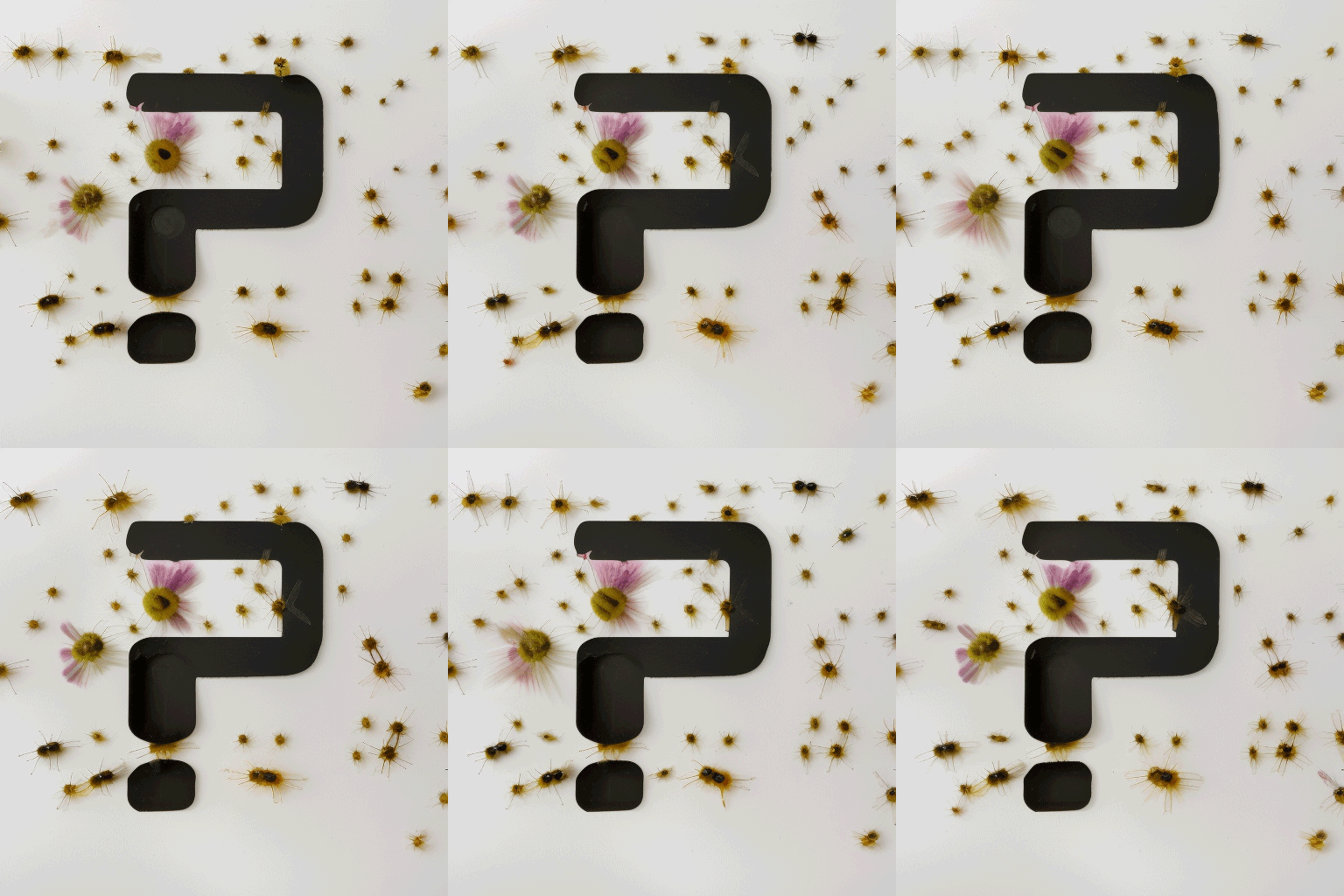
Insects/Flowers + ? (2022)
Same seed, 10 generations animated GIF sequence.
Hello, I’m Tim Fransen:
1
Technical Tutor in Generative AI, Web Publishing and Graphic Design at London South Bank University (LSBU), teaching visual communication in the School of Art and Social Science & the School of Engineering and Design.
Member of the LSBU AI Working Group.
Researcher at LSBU’s Digital x Data Research Centre.
Co-founder of the Creative and Responsible AI Lab (CRAIL).
How AI Generates Images
2
Fawzi Ammache, known online as @futurewithfawzi, is a designer and engineer committed to making AI more accessible and understandable. Through educational content across multiple platforms, he simplifies complex AI concepts, helping a broader audience engage with and demystify AI.
Defining AI
3
A machine learning (ML) model card is a way of documenting essential information about ML models in a structured way. ML model cards are written by ML developers for both experts and non-experts. For example, an ML application is developed to translate different languages, such as from Arabic to French and vice versa. A model card includes information on the model’s translation accuracy, as well as the model’s performance around jargon, slang, and dialects. Other model card information might include the type of ML model, different performance indicators, and even known bias. Model cards are created during the explanation stage of the AI project lifecycle to expose information on the model’s capabilities and limitations, in a way that is easy to understand.
Example Model Card: Stable Diffusion v1
For instance, we can discern from the calculations provided by the Machine Learning Impact Calculator that an estimated 11,250 kg of CO₂-eq (kilograms of carbon dioxide equivalent) was required to train Stable Diffusion v1. This is roughly equivalent to driving an ICE (Internal Combustion Engine) car for 28,200 miles.
You can find a further 31 explanations in a glossary that is part of Raspberry Pi Foundation’s Experience AI Lessons.
4
Founded in 2019, Stability AI is a UK-based company behind Stable Diffusion, one of the most widely used text-to-image AI models. While often considered "open-source," it is technically open-weight, meaning the model weights are publicly available, but the full training process is not.
Stable Diffusion – Pros and Cons
Pros
Open-Weight Accessibility – Stability AI provides pre-trained models with open weights via platforms like Hugging Face. This enables users to run, fine-tune and modify models freely, supporting innovation and experimentation within the AI community.
Energy-Efficient AI – Stable Diffusion is optimised for consumer-grade GPUs, significantly reducing computational energy use compared to larger AI models. This makes generative AI more environmentally sustainable.
Lower Financial Barriers – Unlike proprietary models that depend on costly cloud infrastructure, Stable Diffusion is freely downloadable and can be run locally. This lowers costs for individuals, educators, researchers and small businesses.
Advancing AI Research – Stability AI collaborates with universities and research institutions to promote open and ethical AI development. These partnerships help advance the field of generative models while maintaining a degree of transparency.
Cons
Potential for Misuse – The open-weight nature of Stable Diffusion, while empowering, also makes it vulnerable to misuse. It has been used to create misleading, harmful or explicit content, raising concerns around content moderation and responsible deployment.
Copyright and Ethical Concerns – Stable Diffusion’s use of the LAION-5B dataset has led to litigation in the UK, particularly Getty Images v Stability AI at the High Court, concerning the unconsented use of millions of copyrighted photographs. Furthermore, the LAION-5B dataset contained problematic material, ranging from links to child sexual abuse content to hateful and private imagery, raising serious ethical and safety concerns about data provenance and the need for stricter curation.
5
Inside the Stable Diffusion Black Box:
C
E
F
D
A
B
A Load Checkpoint Node
Loads the main components required for image generation: the denoising model (e.g. Stable Diffusion 1.5), the text encoder (CLIP) and the VAE.
B Empty Latent Image Node
Generates a random Gaussian noise tensor (a multi-dimensional array of numbers used to represent image data) and sets the output image dimensions.
C CLIP Text Encoder Nodes
Converts text prompts (positive/negative) into numerical data that guide image generation and defines which features to include or exclude from the generated image.
D KSampler Node
Performs step-by-step denoising on the latent image using guidance from the prompt and model settings such as seed (for repeatability) and guidance scale (cfg) for prompt influence strength.
SEED
DENOISING
E VAE Decode Node
Converts the denoised latent numerical data into a viewable pixel-based image.
F Save Image Node
Saves the final image to the local output folder for access and use.
6
Hugging Face offers cloud hosting for AI models through its Inference API and Spaces, a platform where users can deploy, share and interact with machine learning models, including Stable Diffusion, via web-based applications.
Visit:
https://tinyurl.com/nhah3drh
Try Out Stable Diffusion on HuggingFace:
1. Visit the following Space:
Stable Diffusion 3.5 Large Turbo (8B)
2. Add your ‘Professor’ image to the MURAL
pinboard: https://tinyurl.com/2p9znfd9
7
Bias in AI Image Generation:
AI image generation models can reflect and amplify biases present in their training data, leading to stereotypical, exclusionary, or inaccurate representations of people, cultures, and concepts.
Bias can arise from imbalanced datasets, algorithmic assumptions, or societal influences, affecting diversity in AI-generated images. Addressing these issues requires inclusive datasets, ethical model training, and transparency in AI development to promote fairness and representation in generated content.
Resolving Copyright and IP Issues:
8
Public Domain 12M (PD12M)
PD12M is a high-quality dataset of 12.4 million public domain and CC0-licensed images, each paired with a synthetic caption generated using Microsoft’s Florence-2 vision-language model. Created by Spawning in 2024, it was designed to support text-to-image AI training with minimal risk of copyright infringement.
The images are curated from trusted sources, including Wikimedia Commons, OpenGLAM institutions (galleries, libraries, archives, museums), and iNaturalist, and have been filtered for aesthetic quality, resolution, and safety. The dataset is openly licensed under the CDLA-Permissive 2.0 license and is hosted via Hugging Face (captions/URLs to images) and AWS Open Data (image hosting). PD12M serves as a legally and ethically robust alternative to web-scraped datasets.
COMING
SOON
Public Diffusion
Public Diffusion is an open-source image generation model trained exclusively on PD12M, ensuring copyright-safe outputs. It is designed with ethical sourcing, transparency, and adaptability in mind, making it especially suitable for open education, research, and creative reuse. Currently in private beta, the model is being tested and refined by early users. Built for fine-tuning and open distribution, Public Diffusion provides a responsible and legally sound alternative to models trained on copyrighted material.
Stable Diffusion
Public Diffusion
Prompt A slender voluptuous mannequin wearing a medieval armor ball gown with a ruffled skirt. The dress is made of a silver chainmail and has a fitted armor bodice with a full skirt that falls to the floor. The silver chainmail bottom of the skirt is adorned with intricate dark fabric ruffles and the bodice is decorated with bright silver trim. The background is a neutral color, allowing the dress to stand out.
Public Diffusion
Stable Diffusion
Prompt A closeup photo of an old Norwegian fisherman standing on his boat by the ocean. His face is wrinkled with age and his hair is white. He has a long smoking pipe hanging from the corner of his mouth. The background is out of focus. The image has cinematic dramatic lighting with kodachrome colors.
Stable Diffusion
Public Diffusion
Prompt A digital photograph of a gothic dining room. There is a long banquet table in the middle of the room with a white tablecloth. The room has paintings on the walls and a window in the background.
Stable Diffusion
Public Diffusion
Prompt An black and white tintype photograph of a nasa astronaut standing in a civil war camp near gettysburg in 1862. The astronaut is wearing a white mechanical spacesuit and a round glass helmet. Tents and other confederate soldiers are in the background. The image shows scuffed edges.
Video by Olivio Sarikas, a Vienna-based designer and educator known for his clear, beginner-friendly tutorials on photo editing and AI-generated art. With over 25 years of creative experience, he shares content on platforms such as YouTube, Skillshare, and Patreon, focusing on tools like Photoshop, Affinity Photo, Stable Diffusion, and Midjourney.
9
Environmental Impact:
Sustainable AI Image Generation – Some Best Practices
Use Efficient AI Models – Choose lightweight models (e.g., Stable Diffusion Turbo) and lower sampling steps.
Run on Energy-Efficient GPUs – Use modern GPUs (Apple M-series) for lower power use.
Use Local Processing to Reduce Water Waste – Cloud data centres require heavy cooling; local computers use less water.
Pick Cold-Climate Cloud Servers – If using the cloud, choose data centres in Iceland, Canada, or Finland for lower water use.
Avoid Unnecessary Computation – Don’t generate excessive images; use AI upscaling instead of full-resolution renders.
Power AI with Renewable Energy – Use solar/wind energy for local GPUs or select green cloud providers.
This helps keep AI creative work sustainable and responsible!
Going Local:
10
ComfyUI is a free, open-source, local-hosted, node-based graphical interface focused on building customisable AI image-generation workflows using Stable Diffusion models, with support for video and audio workflows through extensions and custom nodes.
THANKS FOR LISTENING!